

Photo Slideshow Maker Pla.
- Features
- Flash Template Showcase
- Download Photo Slideshow Maker
- Flash Slideshow Solutions
- Free Web Album Service
- Premium Flash Templates
- Flash Template Editor
- Video Flash Templates
- Create gift CD/DVD
- XML-driven Flash Gallery
- Support Services
- Frequently Asked Questions
- How to embed Flash to website
- Contact us
Flash Template Showcase
User's Testimonial
- "I have Photo Slideshow Maker Platinum loaded(and licensed) on my computer, the platinum version is up and working well, most impressed by the 3D and new options available."
- -Colin
Reward By Expert





Recommendation

Burn photo DVD slideshow & create video slideshow.

Create Flash banner with image & text. Free!

Make professional HTML5 photo slideshow with a few mouse clicks.
Features of Photo Slideshow Maker Platinum

With Photo Slideshow Maker Platinum, you can use your photos, FLV videos and songs to create gorgeous flash slideshows in SWF format for watching on computer, burn the auto-run flash photo album to gift CD/DVD, build a web gallery with amazing flash slideshows with dynamic SWF + HTML + XML files, or upload the slideshows to our free web album Go2Album, and then embed the slideshows to MySpace, Blogger, Friendster and many other social networking websites.
Photo Slideshow Maker Platinum allows you to add FLV videos as slides. Photos and videos can be mixed in a flash album.



Add photos, music & video
You can add MP3, WMA, WAV music and CD sound track to the slideshow as the background sound.
You can enable audio streaming if the flash is designed for website.
FLV video is supported to add to the photo slideshow.

Add text, clip arts, hyperlinks
Text can be added to the slideshow as caption or subtitle.
There areplenty of clip arts that you can choose from the program. You can also add any image as clip art.
Each photo in the slideshow can link to a target page or pop-out window.
Choose transitions and themes
60+ transitions effects:Random, Wipe from Left, Fade to White, Cross Expansion and many others.
300+ themes: Wedding, Holiday, Business, Sports etc..
3D gallery and video themes bring your still photos to life. HTML5 templates help to create fantastic flash slideshow compatible with HTML5.
Zooming and panning effects will make your photos to be animated.

Publish slideshow just about anywhere
After the flash slideshow is created, you can:
Upload to your website or to our free web album.
Add to MySpace, Blogger and many other social websites and blogs.
Burn gift CD/DVD for your family and friends.
 |
 |
 |
 |
 |
 |
 |
 |
 |
 |
 |
 |
 |
 |
 |
 |
 |
 |
 |
 |
more ... |
More Functions

Template editing
Besides the 300+ exquisite slideshow templates provided, Photo Slideshow Maker Platinum also includes an amazing built-in Template Editor in the Premium flash templates. With Template Editor, you can customize premium flash templates and create your own stylish flash template.
The Template Editor is easy to use, and enables to customize every detail of flash theme, including background image, photo frame, thumbnail frame, control button, title, description, movie clip and decoration, etc. No matter whether you are professional or without any technical knowledge, you can handle it easily to build up a self-made flash template.

Photo editing
Photo Slideshow Maker Platinum also supports to edit photos, such as photo flipping, adding text, hyperlinks, descriptions, artclip special effects, photo crop and filter, etc. which helps to optimize the photos with the best effects in the output photo slideshow.

XML-driven
Except the standalone Basic and Premium templates, all the advanced flash templates are XML-driven. The XML document allows more personalized controls over the flash. The XML-driven flash templates are divided into 5 different categories: Professional, Web Album, 3D Gallery, Video, and HTML5 templates.
Nonetheless, Photo Slideshow Maker creates XML-driven flash in a very straightforward way, even if you've never know what XML is, you can still use the advanced templates easily. And if you need to edit the XML document, we provide full instructions for doing so.

Dynamic customization
Besides XML control, the advanced templates provide many more custom options, so that you can create slideshow that fits into your existing web design: width, height, border color, background color, thumbnail size, etc.

Auto-playback and repeat mode
The flash slideshow will play automatically after preloading, and it can repeat playback.

Full screen mode
The advanced flash templates support full screen mode. Clicking the full screen icon at the corner of the slideshow can jump in and out of full screen mode.

Stylish Templates Applied in Wide Range of Areas
Photo Slideshow Maker Platinum offers 6 catagories flash templates, including video templates that support flv video adding, providing you with wide range of application and great possibility of creation. There are hundreds of ready-to-use templates for your choice. You are free to use them for any business and personal purposes. For business, you can use it for project presentation, website building, training tutorials, etc. For personal use, you can create family album, vacation photo gallery, CD/DVD album gift, holiday greeting ecard, etc.
With Photo Slideshow Maker Platinum, users can have more choices to create website slideshow, photo album, flash ecard, product showcase, web banner, business presentation, flash intro and achieve more other flash slideshow work. Here are parts of the available templates in Photo Slideshow Maker.
Photo Gallery | Photo Album | Photo Slideshow



Flash Ecard | Holiday Ecard | Greeting Ecard



Business Slideshow | Product Showcase | Project Presentation
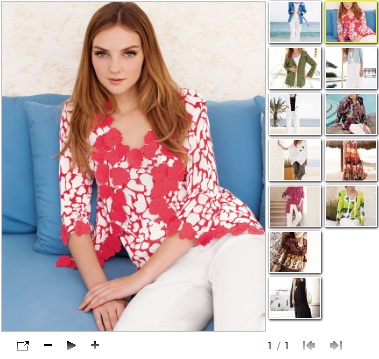
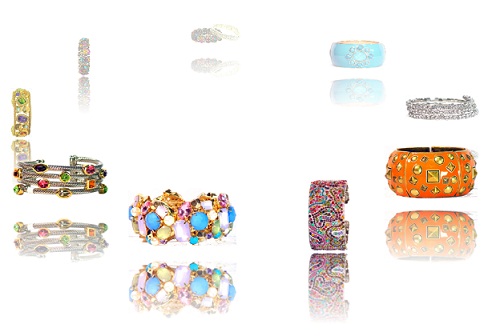
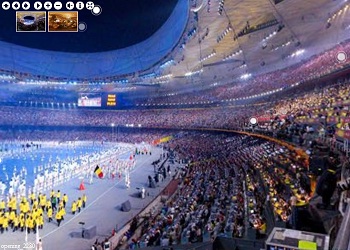
Flash Intro | Training Tutorials


Flash Banner | Web Banner | Website Slideshow


You can see more templates on Photo Slideshow Maker template showcase.

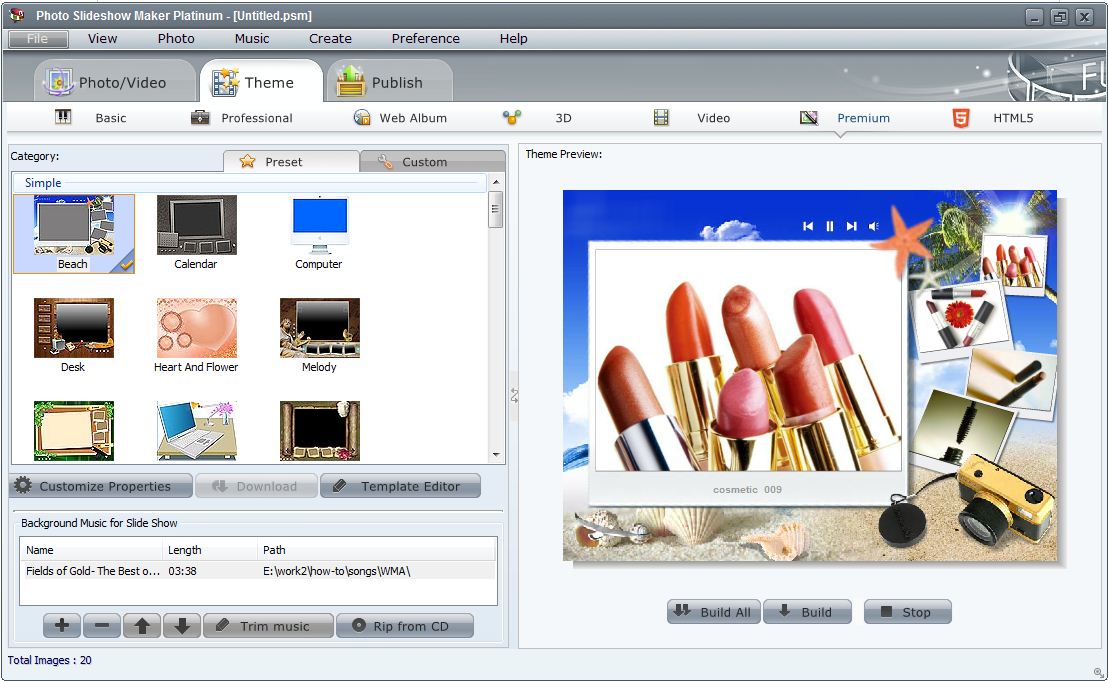
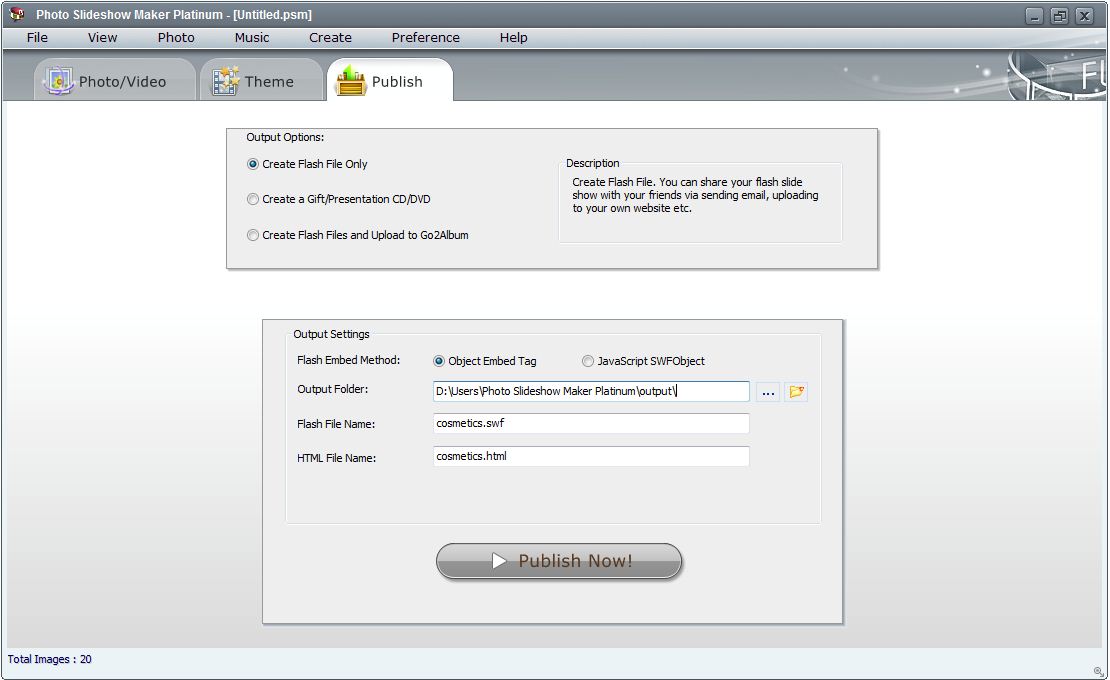
Click the thumbnail to view larger image
How to create video-photo music slideshow:
Step 1. Add videos, photos and choose transition effects
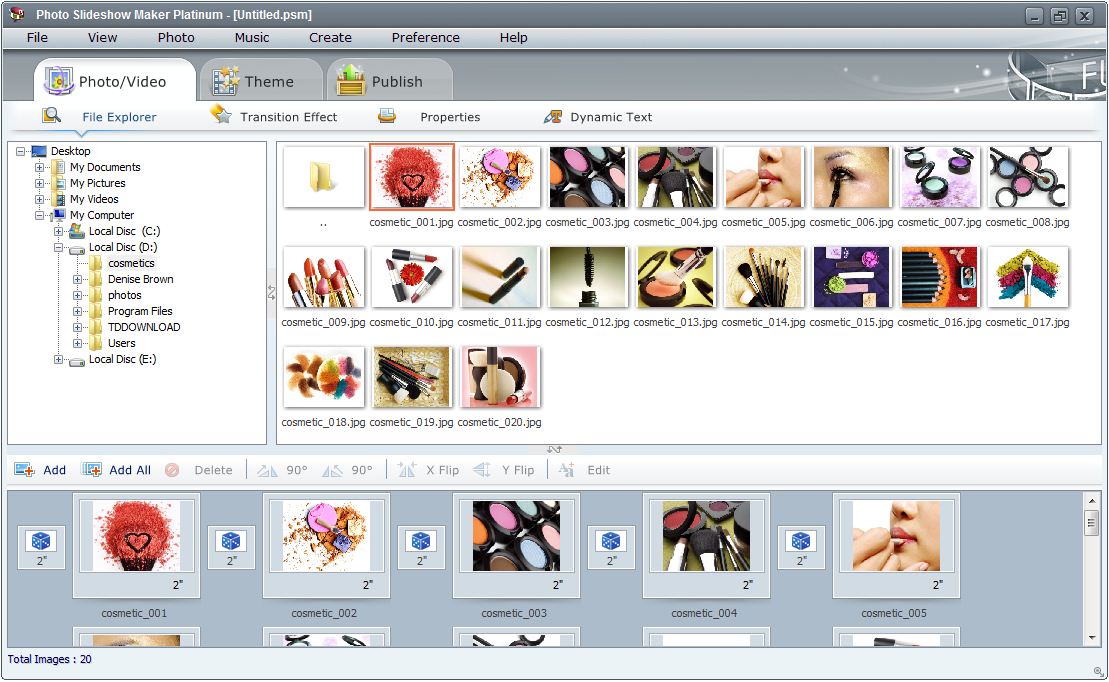
Add videos and photos: Click Add/Add all button to add one or batch videos to Photo Slideshow Maker Platinum. Or you can direct drag & drop FLV videos or photos to the vidoe/photo area.
Edit videos and photos: To edit the FLV video or photos you can click Edit button or double click on the subject, the Edit Photos window will pop up. Here you can add URL, title, description, text and art clips to the photo/video, rotate 90 degree of the picture/video, set the transion effect and duration for the video slideshow.
Select transition effects for your videos and photos: Click Transition Effect button, choose some for your video slideshow.
Step 2. Add music and choose template
Add music: Go through the Theme tab, hit the plus button to add music files from your computer. You can also get music from CD by hitting the relative button.
Choose template: All templates are classified into 6 different catagories. They are Basic, Professional, Web Album, 3D Gallery, Video, and HTML5 templates. You can choose one Video template to display FLV video and photos.
Customize properties: Click this button, you will find lots of properties of the video slideshow to be customized to achieve your expect.
Step 3. Publish the video slideshow
Pulish for watching on PC: Go to Publish panel and check the first option "Create Flash File Only", then click "Pulish Now!" button. After it has been published, hit the button "Open Output Folder" to get all produced file and watch your video slideshow.
Burn to CD/DVD: Check "Create a gift/presentation CD/DVD" option if you want to create auto-run CD/DVD.
Upload to Go2Album: If you want to share the video slideshow with your friends, you can choose the option "Create Flash Files and Upload to Go2Album". You may need to register online and get your own ID, then login in the program and upload it.
Upload to social websites: You may want to upload the produced video slideshow to some social websites like MySpace, Live Spaces, Blogger, Friendster, etc. This would be easy with Photo Slideshow Maker Platinum. You only need to upload video slideshow to Go2Album first, then copy the code in "Embed" form, then paste it into the social website editing field.
Insert to your own website: You got a self-made website and wanna insert the produced video slideshow in your own web page very much? Just choose "Create Flash Files Only" and publish to your PC, then open the *.html file and copy the code from <embed> to </embed>, paste it into your html web page and copy all FPM Platinum produced files into the same directory with your html web page, at last upload them to your server.
Or you can choose first upload to Go2Album, then copy the code in the "Embed" field, paste into your html web page and upload. In this case, you do not need to put all files into the directory with your html web page. Just enjoy sharing your video slideshow with everyone!


| Delivery | Keycode |
| File Size | 26.0 MB |
| Version | 5.48 |
| Platform | Windows XP, Vista & Windows 7, 8 |
| Supported Input Formats | |
| Picture | BMP, JPEG, JPG, PNG, TIFF |
| Audio | MP3, WAV, WMA, Sound tracks from CDs, Voice narrations & recordings |
| Video | FLV |
| Supported Output Formats | |
| Disc | Gift CD/DVD (Playback on PC) |
| Flash movie | Flash movie (.swf), Dynamic Flash (XML-driven) |
| System Requirements | |
| OS | Windows 7, 8, XP and Vista, with adobe flash player 9 and above installed |
| CPU | Intel Pentium II Processor and above |
| RAM | 64 MB RAM (128MB recommended) |
| DVD Driver | DVD+R/RW/-RW Burner |
| Sound Card | Windows-compatible sound card (recommended) |